Free · No sign-up · No watermark
The free QR code generator that works in seconds.
Paste a link to turn any URL into a QR code, or type any text, pick a color, and download a print-ready PNG. The code is generated on your device — nothing ever leaves your browser.
- Instant — the code updates as you type
- Private — everything stays on your device
- Crisp 1024 px PNG, ready for print
- Free, for realEvery tool and every download. There is no paid tier.
- No sign-upOpen a tool and start. Nobody asks for your email.
- Never expiresCodes are static, so they keep working for good.
- PrivateMade in your browser and never uploaded.
Three steps
How to make a QR code in three steps.
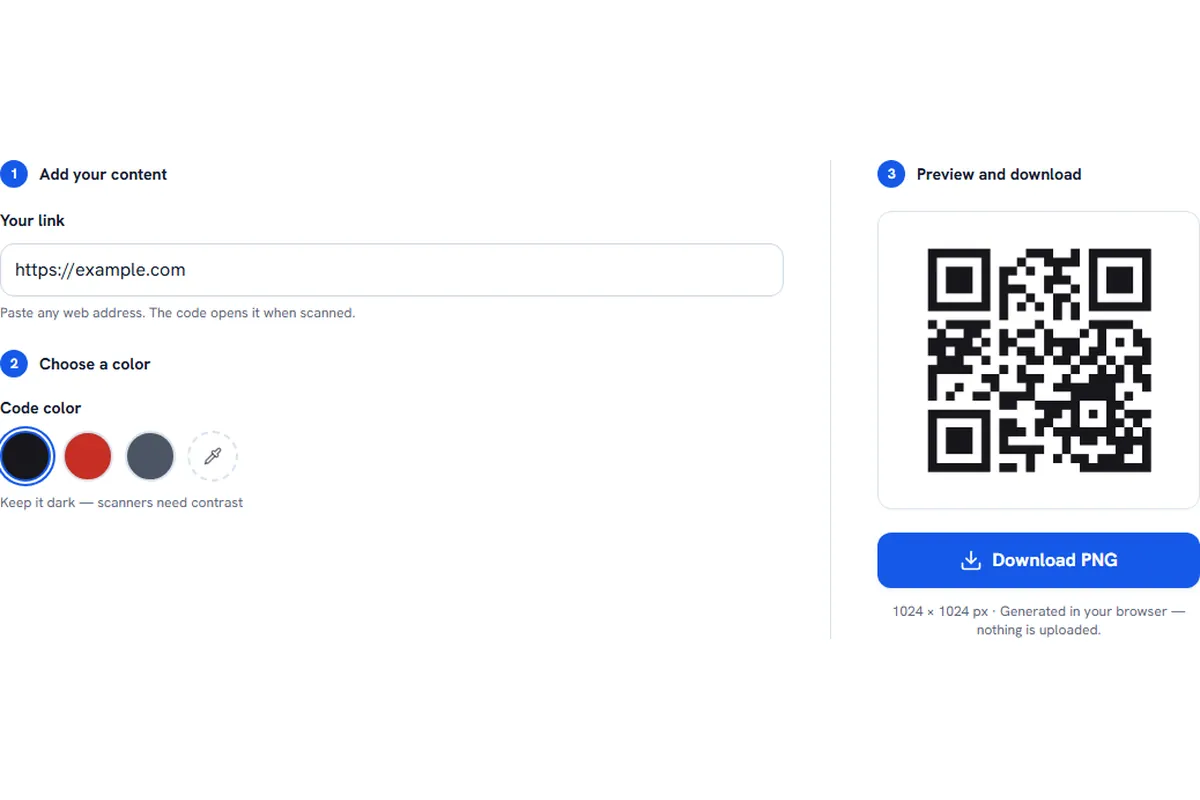
Add your link or content
Paste a link to make a URL QR code, or open a tab for Wi-Fi, a vCard contact, a PDF or plain text. Need a logo in the middle? Use the QR code generator with logo.
Pick a color that scans
Keep the code dark on a light background — scanners need contrast. The preview updates as you type, so you see the result straight away.
Download and test it
Download the 1024 × 1024 px PNG and scan it with your own phone before you print or share it. Step by step: how to create a QR code and how to make a QR code for a link.
What is RoyaleQR?
A free QR code generator for everyday use.
RoyaleQR turns links, text, Wi-Fi credentials, PDFs, images, and contact details into scannable QR codes you can download and print. Most codes are built right in your browser, so there is nothing to sign up for and nothing to install. Pick a tool, enter your content, and download a print-ready PNG in seconds.
Share a website link on a poster, let café guests join your Wi-Fi with a scan, open a PDF menu, hand out a digital business card, or print a plain-text message on a gift tag — RoyaleQR has a dedicated tool for each.
Eleven tools, one place
Pick the QR code you need.
URL Generator
Link to QR code: paste any web address (URL) and get a code that opens the page when scanned.
Open toolDigital Business Card Generator
Share your contact details as a scannable vCard people can save in one tap.
Open toolText Generator
Encode a note, quote, or instructions as plain text — no link required.
Open toolWiFi Generator
Let guests join your Wi-Fi with a single scan instead of typing a password.
Open toolPDF Generator
Link a hosted PDF so one scan opens the document on any phone.
Open toolImage to QR Code Generator
Put your picture or logo in the centre of a QR code that opens your link.
Open toolLinkedIn QR Code
Turn your LinkedIn profile or company page into a code people scan to connect.
Open toolFacebook QR Code
Send people to your Facebook page, profile, or group with one scan.
Open toolGoogle Form QR Code
Put a Google Form on paper or slides for surveys, sign-ups, and attendance.
Open toolCash App QR Code
Get paid faster with a printable code that opens your Cash App $cashtag.
Open toolQR Code Scanner
Read any QR code from a screenshot, photo, or camera, right in your browser.
Open toolBefore you print
Static vs dynamic QR codes: which one do you need?
A static QR code stores your link or text in the pattern itself, so it is free, needs no account and never expires, but it cannot be changed after printing. A dynamic code points to a redirect run by a service, so you can edit it and count scans, usually with a subscription.
Both scan the same way. The difference is where the link is stored, and that decides whether a code can expire, be edited or be tracked.
| Feature | Static (RoyaleQR) | Dynamic |
|---|---|---|
| Account needed | No, nothing to sign up for | Usually yes |
| Expiry | Never: the data is in the image | Can stop working when the plan or the provider ends |
| Cost | Free | Often a paid subscription |
| Privacy | Scans go straight to your link, with nobody in between | Every scan passes through the provider’s server |
| Change the link after printing | No: create a new code | Yes, from the provider’s dashboard |
| Scan statistics | Not built in: add campaign tags to your link and use your own analytics | Built in |
RoyaleQR makes static codes because they are free, private and permanent. If you may need to change where a printed code points, link it to a page you control, such as your own website, and update that page instead.
Measured by RoyaleQR
How small can a QR code be and still scan?
It depends on how much you encode. In our test, a short link made a version 2 code that still decoded at 56 pixels wide, while a link with tracking tags needed 72 pixels and 300 characters of text needed 256. Keep links short and the code stays small and reliable.
| Example | Characters | QR version (grid) | Smallest width that decoded | Read from a JPEG at quality 15 |
|---|---|---|---|---|
| Short link (example.com) | 19 | 2 (25 × 25) | 56 px | Yes |
| Page link, 34 characters | 34 | 3 (29 × 29) | 56 px | Yes |
| Link with tracking tags | 100 | 6 (41 × 41) | 72 px | Yes |
| WPA network, 10-character password | 45 | 4 (33 × 33) | 56 px | Yes |
| Name, title, company, phone, email, website | 177 | 9 (53 × 53) | 96 px | Yes |
| 300 characters of text | 300 | 13 (69 × 69) | 256 px | Yes |
How we measured: on 21 November 2026 we built each example with the same QR library and settings this site uses, shrank every code to smaller sizes, saved it as a low-quality JPEG, and decoded each copy with jsQR, the decoder our QR Code Scanner runs. The examples are test data, not real accounts.
No application is necessary to use a QR Code. You can use the code freely as long as you follow the standards for QR Codes in JIS or ISO.
The two-minute version
How QR codes actually work
You type, it encodes
A QR code is just text, translated. Your link or message is converted into bytes — the same ones and zeros any computer uses — using a standard called ISO/IEC 18004 that every phone already understands. Shorter text means a simpler grid of squares that scans faster and more reliably, so keep links short.
Bytes become a grid
Those bytes are laid out as black and white squares called modules. The three large corner squares are finder patterns: they tell a scanner where the code starts, how big it is, and which way is up.
Any camera reads it
Built-in error correction — Reed–Solomon, the same math that rescued scratched CDs — means the code still scans when part of it is dirty, creased, or covered. Point a phone camera at it and the text comes straight back. Keep the code dark on a light background and leave the white margin intact for the most reliable scans.
Why RoyaleQR?
Straightforward tools, honest about your data.
Free, with no strings
Generate and download as many QR codes as you like — no account, no watermark, and no download limits. Use them anywhere, including commercially.
Generated on your device
Every tool builds or reads your QR code entirely in your browser. The links, text, and images you use are never sent to our servers.
Codes that never expire
Every code is static — the data lives in the image itself, so it never stops working. A link code keeps scanning for as long as its destination stays online.
Print-ready PNG
Each download is a crisp 1024 × 1024 PNG with the white quiet zone scanners need, sharp enough for screens and most print jobs.
Lightweight and fast
A clean, mobile-friendly page with no heavy scripts. The code updates as you type, so there is nothing to wait for.
Eleven tools, one place
Each tool comes with its own guide, use cases, and answers, so you always know exactly what you are making.
Guides
Step-by-step QR code guides.
- How to Scan a QR Code on iPhone
Scan QR codes on iPhone with the built-in Camera or Control Center scanner — no app required. Step-by-step for iOS.
- How to Turn an Image into a QR Code
Two meanings, one guide: link a hosted image with a QR code, or place an image inside a QR code. Both explained simply.
- How to Make a QR Code with a Logo or Picture
Put your logo or a photo in the center of a QR code that still scans: what the tool does for you, the size rule to follow, and how to test before you print.
- How to Create a QR Code
A clear, step-by-step guide to creating a QR code for free — pick a type, enter your content, customize the color, and download a print-ready PNG.
- How to Make a QR Code for a Link
Turn any URL into a scannable QR code. Paste your link, choose a color, and download a PNG that opens the page when scanned.
Questions, answered